There are two very good solutions available: Stuffit Expander and Unarchiver.

Stuffit Expander is a very good solution available from mysmithmicro. It handles a wide variety of formats and is mainly made available for the company to sell their full-featured Stuffit Deluxe program.

The Unarchiver is a freeware open-source solution.
Both programs work the same way. You highlight/choose a compressed file or a bunch of compressed files in the Finder, invoke the contextual menu (right click or ctrl+click the mouse) and a drop down menu shows up. Go to Open With.... and choose any of the two solutions.
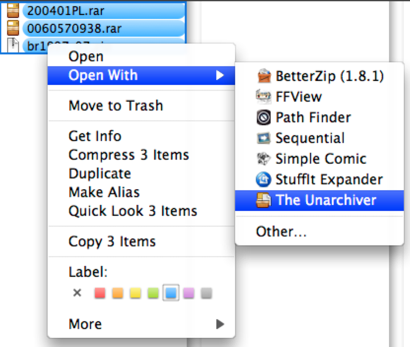
Both programs handle the task of decompressing compressed files. They both do it well. Take your pick or since they are both free get both.

nice article admin
ReplyDelete5 Instant Approval Site (DoFollow Backlink)